Features

Everything a job needs, in one workspace

ProjectSystem connects the work, the materials, the hours and the money, so each one keeps the others honest. Here's what's in it today.

Projects

Projects, milestones and tasks

Each project is numbered (P-10001, P-10002…) and broken down into milestones and tasks with estimated start dates, hours or end dates and an optional daily work window.

  • Open, in progress, complete or cancelled, with the same rules for everyone: starting a task starts its milestone and project, completing a project completes its open work
  • Progress weighted by duration, rolled up from tasks to the whole job
  • A timeline of every milestone and task, with late-start and overdue flags
  • Project categories, site address copied from the customer, archive when done
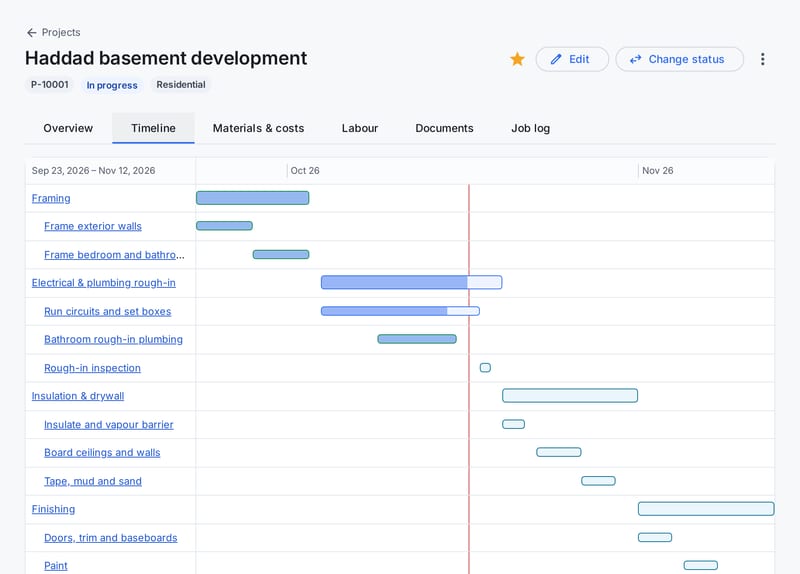
A project timeline with milestones and tasks as bars, finished work in green and a red line marking today.

Job financials

Actual against forecast, all the way down

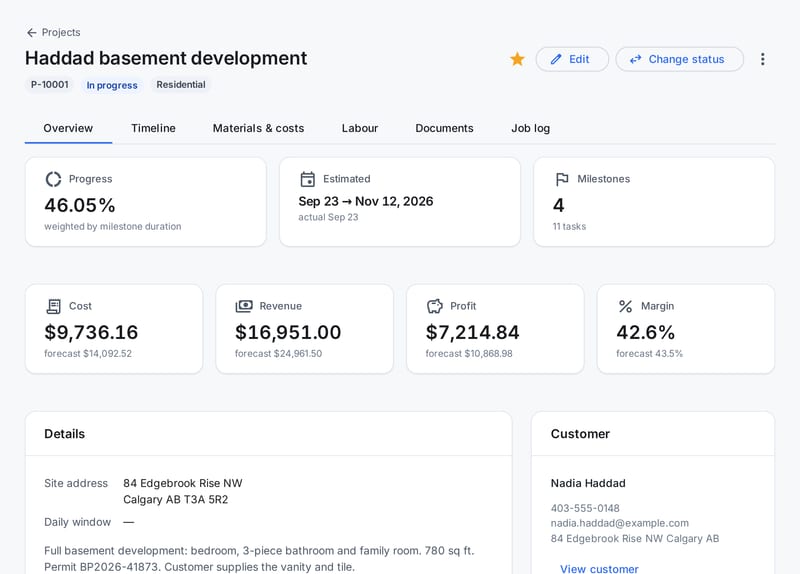
Set estimated cost and revenue on milestones and tasks. As materials are used, hours are approved and bills come in, ProjectSystem adds them up for you.

  • Cost, revenue, profit and margin per task, milestone and project
  • Materials at cost and price, labour at each person's pay and bill rates
  • Subcontract, equipment and other costs, planned or incurred, with the receipt attached
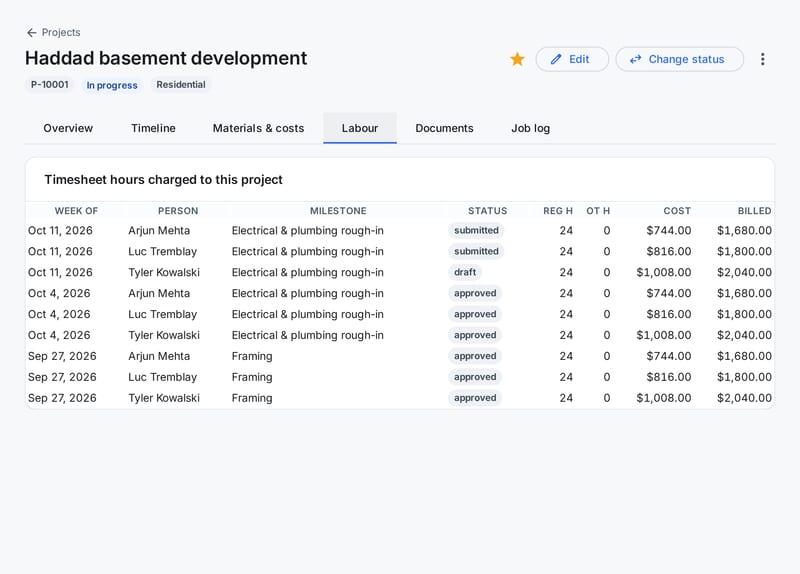
  • Approved hours are actual cost; submitted and draft hours show as pending
A project overview with progress, dates and cost, revenue, profit and margin against forecast.

Materials & inventory

A stock count you can trust

On-hand is never typed in. It's the sum of every receipt, use and adjustment, and once a movement is recorded it can't be quietly edited: corrections are new adjustments.

  • Items with SKU, category, variants, unit cost and price, and a photo
  • Receive stock now or mark it on order; reorder levels flag low and out-of-stock items
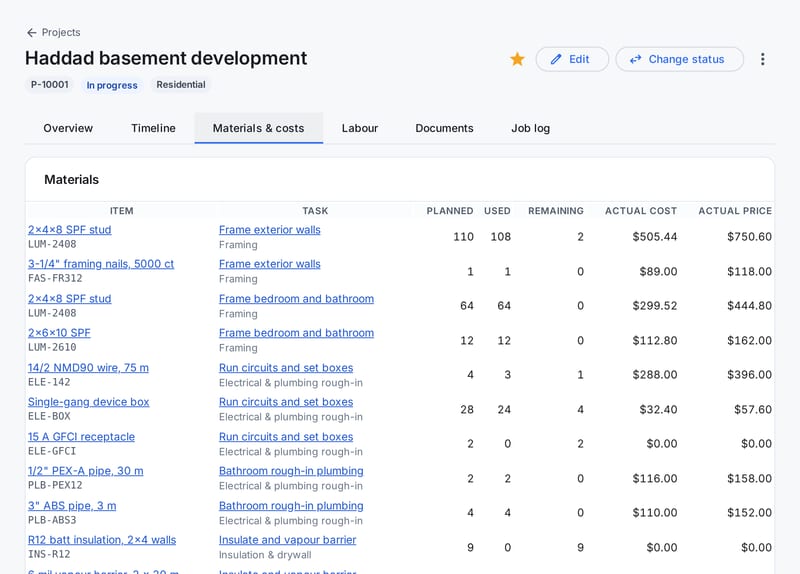
  • Plan materials per task, consume them from stock and return what's left over
  • Two people can't take the last box at the same time: withdrawals are checked as they happen
A project's materials: each item with its task, planned, used and remaining quantities, and actual cost and price.

Timesheets

Weekly timesheets with approvals

One timesheet per person per week, Sunday to Saturday, with regular and overtime hours for each day. Hours can be split across project milestones for job costing.

  • Draft, submit, approve or deny with a note, then mark as processed once payroll is done
  • You choose who approves whom; trusted people can be set to auto-approve
  • Submitted hours are locked, and approved weeks can't be changed or deleted
  • Pay rates are captured when the week is created, so later raises don't rewrite history
Timesheet hours charged to a project: week, person, milestone, status, hours, cost and billed amount.

Job logs & documents

What happened on site, kept with the job

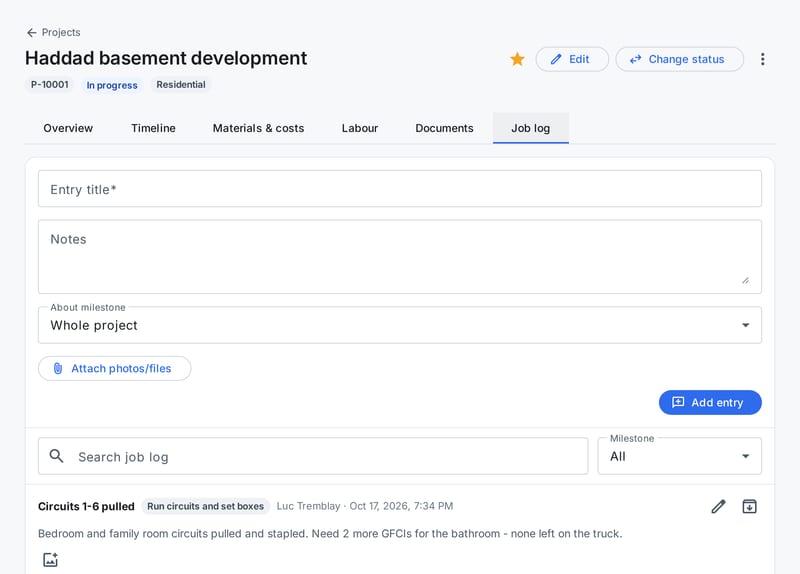
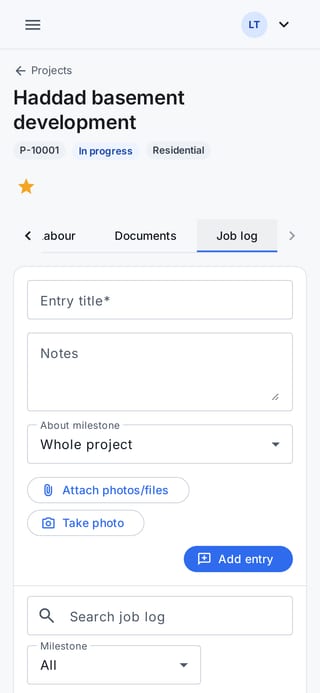
Job log entries record decisions, inspections and problems as they happen, on the whole project or a single milestone or task. Documents keep the paperwork in the same place.

  • Up to 20 photos or files per log entry, taken straight from a phone camera
  • Location and camera details are stripped from photos when they're uploaded
  • Documents with titles and categories such as drawings, permits and contracts
  • PDFs, Office and OpenDocument files, images, CAD drawings (DWG/DXF) and more
A project's job log with entries from the site lead and a field worker, each tied to a milestone.

Field teams

Simple on a phone, and no prices in sight

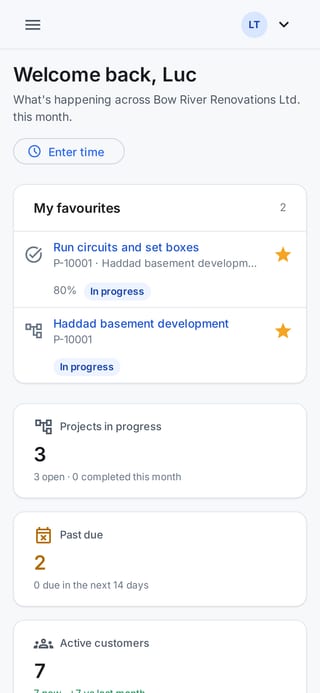
Field users get a screen built around their day: the jobs they've starred, their tasks, the job log and their timesheet. It runs in the phone's browser, so there's nothing to install or update.

  • Update task status and progress with big, thumb-sized controls
  • Add job log entries and photos, upload documents
  • Costs, prices, stock value and pay rates are never sent to their phone at all
  • Favourites put today's jobs at the top of the dashboard
A field worker's dashboard on a phone with their starred task and project at the top.
Job log entries on a phone, written from site.

Customers

Everyone you work for, and everything you did

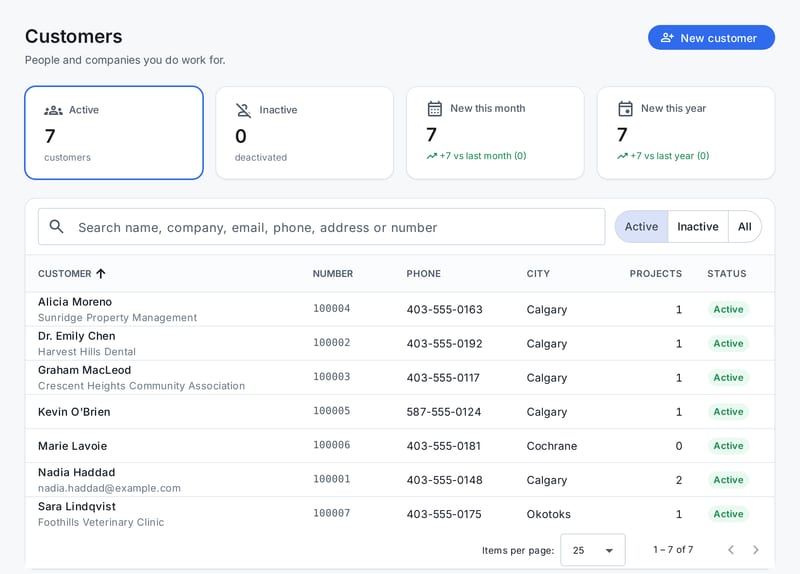
Residential and commercial customers with their own numbers, contact details and addresses, plus notes from the office and your site leads.

  • Person and company details, phone, cell and email
  • Every project for the customer on their page
  • Search by name, company, phone, address or number
The customer list with names, companies, customer numbers, phone numbers, cities and project counts.

Roles & audit

The right access for each person

Five roles cover how project teams actually work, from the people doing the work to the people paying for it. Every request is checked on the server, not just hidden in the screen, and every change is written to an audit log.

  • Field and lead for the field team, office for read-only staff, editor and admin to manage
  • Labour costs and pay rates for admins and editors only
  • Disabling a user or changing their role takes effect on their very next click
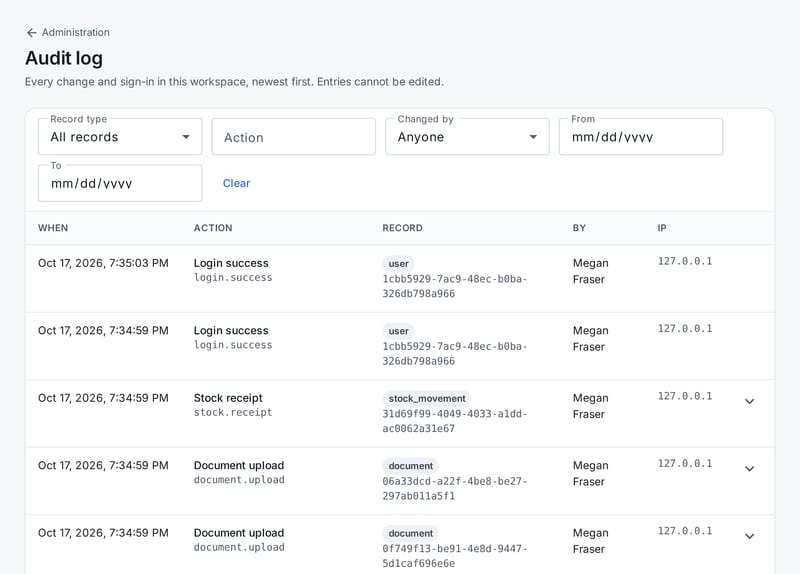
  • An audit log of changes and sign-ins that nobody can edit
The audit log: time, action, record, who made the change and from which IP address.

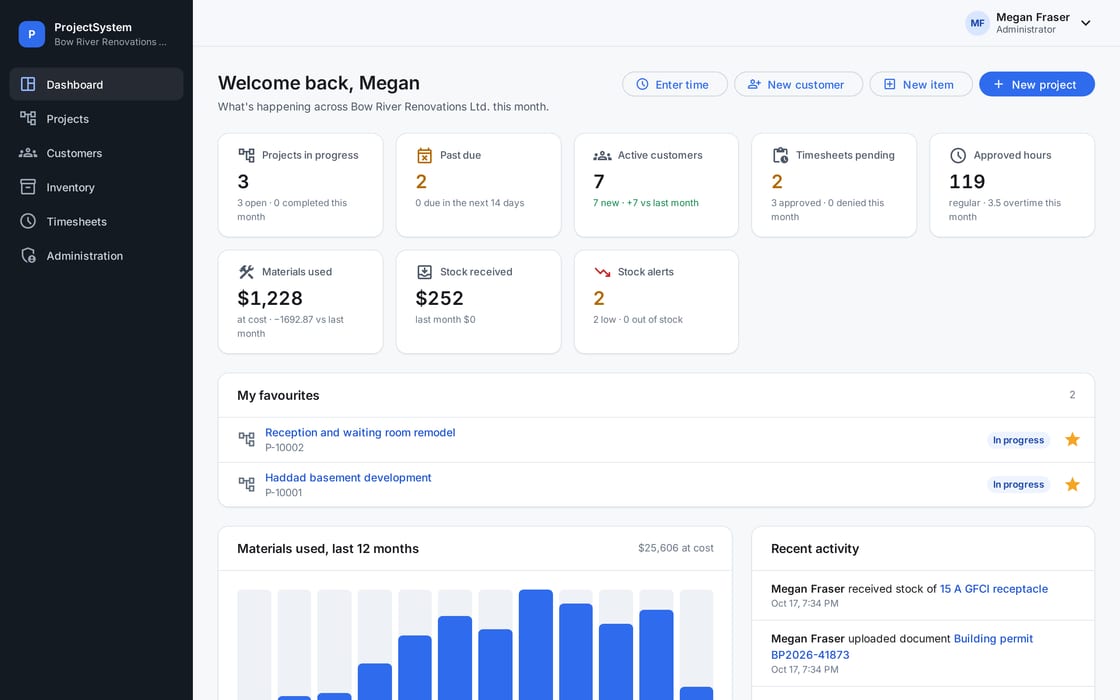
A dashboard that starts the day

Jobs in progress and past due, timesheets waiting for approval, materials used and stock received this month, low-stock alerts and a feed of what the team has been doing.

The dashboard: projects in progress, past due, customers, pending timesheets, approved hours, materials used, stock received, stock alerts and favourites.

Field users see their own version, without the money.

Try it on your next job

Set up your workspace in a few minutes, add your team and run a real project through it. If it doesn't fit, walk away: there's nothing to cancel.

  • 14 days free
  • No credit card
  • Every feature included